Checking adult confirmation…
First-shot ideas for adult creators
AI VIDEO STUDIO · TEXT & IMAGE TO VIDEO

NSFW AI Video Generator Free

Start with 25 free sign-up Credits and one scene you want to try. Write a fictional adult character and a single action, or animate an authorized image of consenting adults. Check the live estimate before submitting; new-account eligibility and anti-abuse checks apply.

  • Adults only
  • Consent required
  • Authorized media only
Illustrative preview5s · 16:9
Slow push-in · Fictional 18+ creator · Illustrative setup

How to create an adult AI video

Give the first attempt a purpose: choose one moment, check what it uses, then decide what to change.

  1. 01

    Choose one moment to try

    Write a short 18+ fictional scene, or choose a still you have permission to process. Start with a head turn, a step or one small gesture.

    Step 01
    01
  2. 02

    Check the request against your balance

    Choose an available model and output setup. Read the complete Credit estimate beside your signed-in balance; the 25-Credit offer is a starting allowance, not a fixed video count.

    Step 02
    02
  3. 03

    Review before spending on a revision

    Follow the task in History. Watch for the intended action first, then inspect face, hands and frame edges. Change one instruction when you decide to try again.

    Step 03
    03

Ways to create adult AI videos

Use the same first-attempt discipline whether you begin from a photo, a written scene or a detail without a visible face.

Illustrative reference · Restrained movement

Animate an authorized still

Image to Video Start with a still of consenting adults and one small head turn. Inspect the face at the beginning, middle and end before asking for stronger motion; likeness is not guaranteed.

Input · Image to Video · authorized stillFirst test · Small turn
Open Image to Video
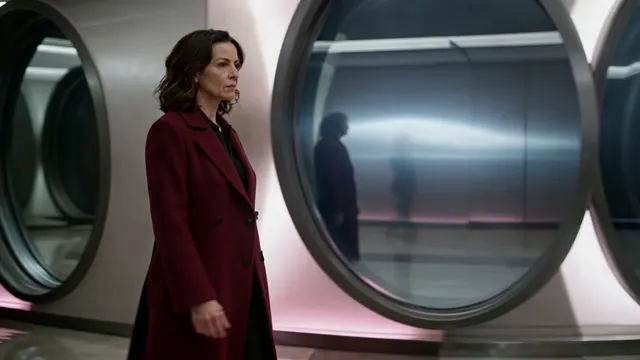
Illustrative reference · Walking pace

Previsualize camera movement

Text to Video Try a short side track with three measured steps. Judge walking pace and subject framing separately from lighting, then keep the setup steady while changing your next prompt.

Input · Text to Video · written sceneFirst test · Three steps
Open Text to Video
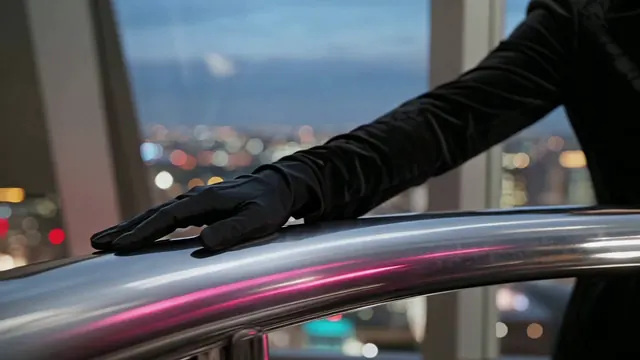
Illustrative reference · No face in frame

Build a faceless teaser loop

Text to Video Let a chrome rail, a gloved hand and shifting reflections carry a short moment. Check the camera movement before adding more objects; a face is not needed to test the framing.

Input · Text to Video · detail briefFirst test · Detail pan
Open Text to Video

Explore the studio

Try Text to Video when the scene is still a sentence, or Image to Video when you have an authorized opening frame. Choose a short brief in Discover, compare your next step on Pricing, and use Help to check an existing task before retrying.

Create with clear boundaries

Check the source, the estimate and the completed result.

Before your first request

Understand the starting allowance, choose an input and decide how to review the result.

What can I create with AI Video NSFW?

Make an original fictional adult scene from text, or request motion from an authorized image of consenting adults. You can also create or edit still images in the separate image tools. Live models and safety controls decide which requests are accepted; explicit-content support and results are not guaranteed.

What does the 25-Credit sign-up offer include?

Eligible new registrations receive 25 free sign-up Credits once, subject to anti-abuse checks. Sign in to check the actual balance and compare it with the complete estimate for your selected request. This allowance is not unlimited generation or a paid subscription trial.

How do I plan my first AI video?

Choose a clearly 18+ fictional character or an authorized source of consenting adults, then name one action you can recognize on playback. Open Text to Video or Image to Video, review the available setup and estimate, and sign in before submitting. Inspect the completed result before deciding on a revision.

Which settings should I change first?

Pick the framing and an available duration that fit the event you want to test. Check the model-specific controls and complete Credit estimate. Keep the setup steady while changing one prompt instruction so the comparison tells you something useful.

How many free clips will 25 Credits make?

There is no fixed clip count because each selected model and output configuration has its own live estimate. Compare the displayed requirement with your signed-in balance before every submission. Subscriptions and one-time Credit packs both add Credits and unlock Premium settings.

Can my starting image show a real person?

Only when you hold the required rights and the person has given informed consent for the intended processing. Everyone shown must be clearly 18+. Do not upload uncertain-age material, an unauthorized likeness or non-consensual intimate content; choose a different source when permission is unclear.

Where do I review my attempts?

Open History with the account that submitted the request. Inputs and Outputs are private within AI Video NSFW by default, with production media served through short-lived signed URLs. Retention, deletion and exceptions follow the Privacy Policy; downloading or sharing a result is your own decision.

Give your first scene one clear action

Eligible new accounts start with 25 free sign-up Credits. Check your balance and the live estimate, then test the moment you want to see.

Plan My First Video