Eligible new registrations receive a one-time 25-Credit allowance, subject to anti-abuse checks. Sign in to see the actual balance, then compare it with the complete live request estimate. The allowance is not a paid-plan trial and does not guarantee a particular clip count.
How does consent-first Text to Video work?
Give your first AI Video NSFW attempt one observable action. Write a clearly 18+ fictional character and a short scene, choose the live setup and check Credits, then review the action before adding complexity.
| Input | Original text prompt describing a fictional 18+ scene and motion |
|---|---|
| Output | A new generated video from the selected setup |
| Account | Sign in before submitting a generation request |
| Free sign-up Credits | 25 Credits for new registrations; reward eligibility applies. Check your balance after signing in. |
| Pricing | Review the live Credit estimate before submission |
| Models | Available models and settings come from the live Catalog |
| Privacy | Private by default; storage, retention, and deletion follow the Privacy Policy. |
| Safety | People must be clearly 18+; authorization and informed consent are required |
Model availability and output rights
Current limitations
The live Catalog controls which models, settings, and inputs are available. Direct video continuation and some advanced workflows may be unavailable, and commercial clearance depends on the applicable plan or model terms.
Generated outputs can vary, may not be unique, and are not automatically cleared for commercial use unless a particular plan or model expressly says otherwise.
Your first shot. One action worth testing.
Text to Video gives a written idea its first moving version. On AI Video NSFW, begin with a fictional, clearly adult character and a moment you can describe in one sentence: a head turn, three measured steps, or a jacket catching the light. Decide what you want to learn from the attempt before choosing an available model. Your first request should answer a creative question, rather than try to finish an entire film.
Plan the first Text to Video request
A useful opening attempt has a subject, a single change and a review criterion. Put those decisions in the prompt, choose the live output options, and read the Credit estimate. New-account Credits are a starting allowance; they do not make every model or configuration free.
- 01
Write the moment before the mood
Start with who is in frame and what they do. For example: a fictional 32-year-old woman in a closed black suit turns toward a round window. Add the violet light after the action is clear, so the scene has a specific event to evaluate.
- 02
Choose the experiment you can afford
Open the model and output choices offered by the generator. Check the estimate against your signed-in balance before submitting. A different duration or resolution may change the requirement; use the displayed value instead of assuming the 25-Credit allowance covers a particular number of clips.
- 03
Watch once for action, once for detail
After completion, inspect whether the movement reads at normal speed. Watch again for face stability, hands and the frame edges. Decide on a single revision, then keep the other choices steady so you can identify what the next attempt changed.
Three small briefs for a first clip
These illustrative studies were created for AI Video NSFW to explain prompt decisions. They are creative references, not verified outputs from the available generator models. Each brief below changes one visible event; none promises that the generator will reproduce the demonstration.
Swipe horizontally to explore all three examples.
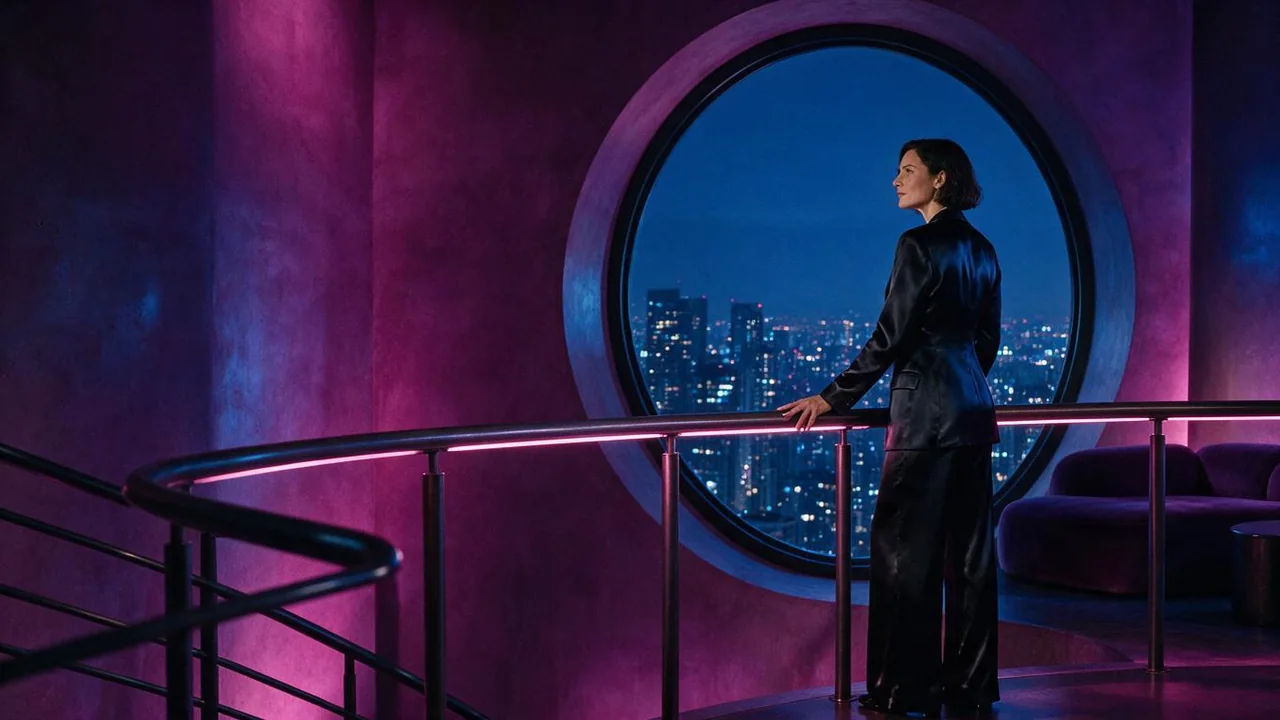
A glance toward the window
PromptFictional woman, age 32, closed black tailored suit, violet observation lounge; she turns her head toward the circular window. Camera moves slowly forward. Keep her hands relaxed at the rail.
Review whether the glance finishes before adding more camera travel.
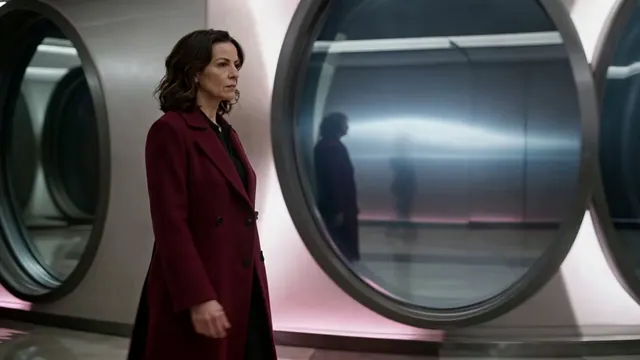
Three steps across the corridor
PromptFictional woman, age 34, burgundy full-length coat and trousers, cobalt hotel corridor. She takes three calm steps; camera tracks beside her at an even height.
Count the steps and inspect the feet before changing lighting.
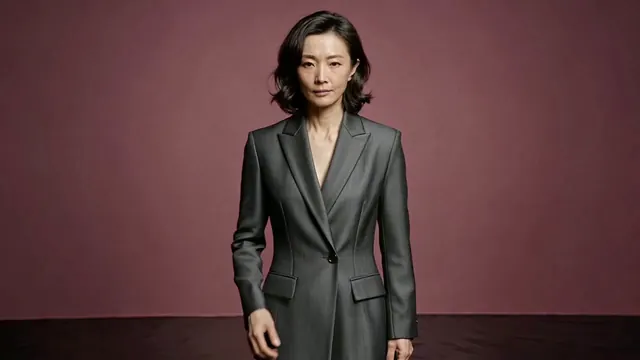
A small jacket adjustment
PromptFictional woman, age 36, closed charcoal evening suit on a magenta studio set. She adjusts one lapel, then pauses. Locked medium camera and soft side light.
A fixed camera makes the hand movement easier to judge.
Read the estimate before the first render
Text to Video controls are defined by the selected Catalog entry. Use the available choices to support this attempt, then check the full estimate again. A model name, a showcase label or a five-second demonstration does not establish the live cost or supported duration.
| Goal | Focus on | Why it helps |
|---|---|---|
| Check whether your allowance covers the attempt | Signed-in balance and current estimate | Compare the two values after selecting all options. Do not submit an unaffordable request or infer a fixed free-video count. |
| Judge a brief movement | A short duration if offered | Leave enough time for the action to start and settle. A longer scene can introduce extra movement that makes the first comparison less useful. |
| Avoid reframing every revision | One chosen aspect ratio | Choose the intended viewing shape early. Keep that shape when comparing prompt changes so crop differences do not hide the result. |
| Compare two ideas fairly | The same model and output setup | Change the action wording first. If you also change model or resolution, you cannot confidently attribute the difference to the prompt. |
Decide what the next attempt should fix
Treat Text to Video revisions as short experiments. Save the strongest result, name the visible issue and change one instruction. Repeated submissions of the same brief can spend Credits without giving you a clearer reason for success or failure.
- The scene moves but nothing happens
- Replace a mood-only brief with one observable event: turns toward the window, takes three steps, or adjusts the lapel.
- The camera and subject race each other
- Keep the subject action and lock the camera for one comparison. Reintroduce a slow camera move only after the event reads.
- Small details break during the action
- Reduce the gesture range and inspect hands, face and clothing before requesting a more ambitious version.
- You are unsure whether to retry
- Check the recorded task status and balance first. A slow connection or playback problem does not prove that generation failed.
Text to Video questions
Practical answers about live settings, Credits, account access, and consent-first creation.
Name a clearly adult fictional character, setting and one visible action. Add a camera direction and a simple lighting cue only when they help that moment. A single head turn is easier to review than a prompt containing several scenes and gestures.
Yes. This route takes an original written concept as the starting point. If you already have an authorized image whose opening composition matters, Image to Video is the more relevant entry point; a text-only brief does not lock an exact appearance.
There is no fixed count stated here because the selected model and output configuration determine each request estimate. Review the value in the generator and your account balance before each submission. Subscription options and additional Credits are separate decisions.
Start with whether the intended action is recognizable at normal playback speed. Then inspect the face, hands, framing and background for distracting changes. Keep the model and output choices stable while revising the most important issue.
No. Current provider availability and safety controls can decline a request, and results vary. Every person must be clearly adult, and consent and rights requirements apply; minors, unclear adulthood and unauthorized real-person likenesses are prohibited.
Make the first attempt answer one question.
Return to the Text to Video tool, write the moment you want to test, and check the estimate against your balance before submitting.